
Zones · Enforcement · Anti-Grief
Zone Manager
Draw geofence zones on any HLL map. Enforce them automatically.
Cancel anytime. No contracts.
— Requirements —
- → HLL game server (any host)
- → RCON enabled (IP, port, password)
- → Default RCON port is 21114 — must be accessible
— About —
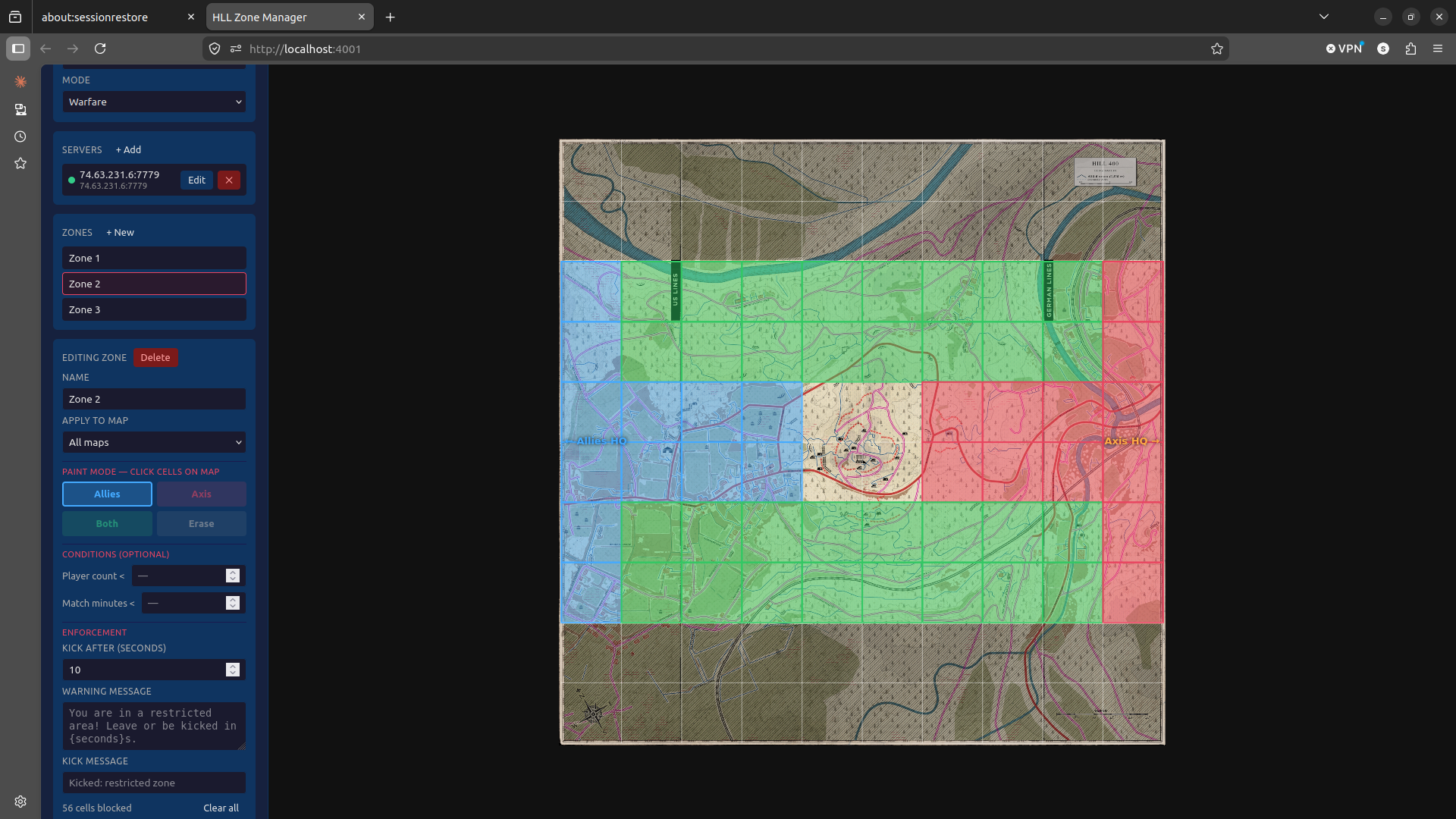
Zone Manager lets you draw geofence boundaries directly on any Hell Let Loose tactical map. Players who enter restricted areas are automatically warned, then removed if they ignore the warning. Configure zones per-map, set custom messages, and let the bot handle enforcement so you can focus on playing.
— Features —
Visual Zone Editor
Paint zones directly on the HLL tactical map in your browser. No coordinates to type.
Per-Map Config
Each map has its own zone layout. Zones load automatically when the map changes.
Two-Stage Enforcement
Players get a warning first, then removal if they stay. Configurable grace period.
Custom Messages
Set your own warning text per zone. Tell players exactly what area they've entered.
Restricted + Buffer Zones
Mark hard no-go areas and soft buffer zones with different enforcement levels.
Live Status Dashboard
See active zones, recent warnings, and bot connection status in real time.
— Setup —
01
Subscribe
Pick your plan and complete checkout. You'll get a confirmation email from Lemon Squeezy immediately.
02
Connect your server
You'll receive a secure link to your bot's admin panel. Enter your server IP, RCON port, and password.
03
Bot goes live
We deploy your instance. The bot connects directly to your server and starts running — no further setup needed.
— FAQ —